Professional video editing is what turns raw video footage into something that will hold the interest of viewers. Made some videos using your smartphone camera and felt disappointed in the poor results? That’s because the fault does not lie in the camera but in the edit. This article takes you step-by-step through the basics of the popular video editing techniques for beginners. No heavy jargon dumped on you all at once. Just the skills that make a real difference, the order to learn them in, and how to start today.
Be it YouTube videos, wedding videos, reels, or short films, no matter what your goals are, the fundamentals will be the same. Master them and everything else will become easy. So, let’s begin with the basics.
What is video editing?
Video editing is a process whereby the clips that you have recorded are edited to make them one complete video. You weed out the uninteresting parts, arrange the best clips, add sound and text to the video, adjust color, and eventually export an appropriate video.
Need an easy video editing definition? It’s telling a story with a timeline. That’s basically all editing is. A good editor can take average footage and make it feel gripping. A bad edit can waste even the best footage.
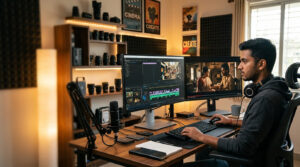
Editors call this stage post-production. It happens after the shoot wraps up. The majority of the tasks are carried out on the timeline of editing software. This is because your clips will be lined up as though on a string of pearls. At any time, you can move your clips to any place, which makes it known as non-linear editing (NLE). Every major program works this way.
Your first rough version is the rough cut. Tidy it up and you’ve got the fine cut. Lock everything in, and it’s the final cut. Same video, three stages of polish.
Why should you learn video editing in 2026?
With all the video out there today, and somebody has to do all the editing, it’s pretty clear that video editing is a great profession to go into.
Just consider how much video is produced. YouTube channels, Instagram reels, ads, online courses, real estate tours, wedding films, and company promos. Every single one needs an editor. From a brand posting one video a month to now having to do ten videos a week, brands simply can’t get by without professional help.
This is how the range of video editing will be in 2026 for a beginner:
- Freelancer: Video editing for creators, small businesses, and agencies while working from home.
- Studio and agency jobs: Constant video editing for advertisements, movies, and other media.
- Your own content: grow a channel or page and earn from it directly.
- Remote clients abroad: editors in Kerala work for clients in the US, UK, and the Gulf all the time.
So why learn video editing? It pays, you can start from home, and the skill only gets more useful as more videos get made. At Tiju’s Academy, we train students for this exact kind of work through our Media School, and we’re proud to be one of the best film schools in Kerala for hands-on editing.
Core video editing concepts every beginner should know
Before you touch any fancy effect, get the building blocks down. These video editing concepts for beginners turn up in every project you’ll ever make, so getting comfortable with them early saves you months of confusion.
Here are the basic video editing terms and skills worth knowing first.
- Cutting and trimming
And this is where it all starts. The process of cutting and editing basically involves cutting off anything that is unnecessary, the long breaks, the “umm” sounds, the silence. To split a clip simply means to divide one clip into bits to either move or delete some parts. A tight edit beats a fancy one every single time.
- Types of cuts
Not every cut is the same. A few you’ll use over and over:
- Standard cut (hard cut): one clip ends, the next starts. Clean and simple.
- Jump cut: you chop out a chunk of the same shot so time seems to skip. Perfect for vlogs and talking-head videos.
- J-cut: the audio of the next clip starts before you see it.
- L-cut: the audio of the current clip carries into the next shot.
- Match cut: you cut on a similar shape or motion so two shots feel linked.
- Cross cut: you bounce between two scenes happening at the same time.
- Smash cut: a sudden, jarring switch for effect.
- Cutaway: a quick shot of something else, then back to the main action.
- Transitions
A transition is how one clip changes into the next. The plain cut is the most common by far. But you’ve also got the dissolve and cross-dissolve, where one clip fades into another, the fade-in and fade out from or to black, and the wipe, where one shot pushes the other off-screen. Go easy with these. New editors love piling on transitions, and it almost always looks worse.
- B-roll and structure
Your main footage is your A-roll, like a person talking to the camera. B-roll is the supporting footage you lay over it: hands typing, the street outside, a product close-up. B-roll hides your cuts and keeps things interesting. An insert shot does a similar thing by zooming into one detail. Line up a run of shots to show time passing and you’ve made a montage. A split screen shows two shots at once. Making sure everything flows logically is known as continuity. That is to say, no jumping around in ways that confuse the audience.
- Colour
Although similar sounding, color correction and color grading refer to two separate processes. The color correction process involves fixing any mistakes in order to make the footage look natural, including the correct white balance and skin tones. Color grading refers to adding that artistic touch and creating the mood for your video. Editors lean on LUTs, which are ready-made colour presets, and tweak color temperature to set the feel. This is also the heart of our Tiju’s Media School editing and color grading course, because good grading is what makes footage look professional.
- Sound
People forgive bad video way quicker than bad audio. Good audio editing means balanced audio levels, with no clip too loud or too soft, clean sync between what you see and hear, and the right background music and sound effects for the mood. A split edit, which is that J-cut or L-cut from earlier, makes conversations feel more natural.
- Technical basics
Here are some figures and terms to remember:
- Resolution: total number of pixels inside your frame (1080p, 4k).
- Frames per second: total amount of frames played during one second, for example, 24, 30, 60 fps.
- Aspect ratio: ratio of your frame (16:9 on YouTube, 9:16 on reels).
- Keyframe: a point in time where you need to make any changes, for example, move text along the screen.
Moreover, you will come across chroma key or green screen (keying), which is the replacement of the green background with any picture. Compositing involves combining multiple elements into one scene. Motion graphics are animated text and shapes. A text overlay or lower third puts names and titles on screen. The big stuff, like explosions and CGI, falls under VFX.
That’s a pile of basic video editing terms in one go. Don’t try to master them all this week. Just recognise them and pick them up one at a time as you edit.
How can I learn editing as a complete beginner?
Start small, edit something every day, and pick one software to stick with. That’s the honest answer. No film degree needed, no expensive gear either.
Here’s a simple video editing for beginners step by step path:
- Pick one software: Free software includes DaVinci Resolve, CapCut, and iMovie. Paid software includes Adobe Premiere Pro, Final Cut Pro, and Filmora. People who are new to editing generally find it easier to use CapCut or DaVinci Resolve.
- Know how to import and organize: You need to get those video files imported and organized onto the timeline properly.
- Do a rough cut: Chop out the junk and get the story roughly in order. Polish comes later.
- Add B-roll, text, and music: Layer in the extras that make it feel finished.
- Color and sound: Fix the look, then balance the audio.
- Export: Learn your exporting settings and how video compression and file formats change quality and size.
You can definitely learn video editing at home with free tutorials on YouTube. Loads of good editors are self-taught. The downside? It’s slow and messy on your own. You waste time on the wrong things, pick up bad habits, and never really get feedback.
That’s where a proper course pays off. A structured filmmaking and editing course at a real film institute in Kerala gives you a clear order to learn in, live feedback, and actual projects to build a reel with. At Tiju’s Academy, our Media School runs hands-on filmmaking courses covering editing, cinematography classes, VFX filmmaking courses, scriptwriting, and direction. You walk out with an industry-ready filmmaking certificate and a portfolio you can show clients. Students from all over the state pick us as their best film institute in Kerala for practical skills, not just theory off a slide.
10 Essential Video Editing Tips for Beginners
Ready for the practical part? These video editing tips for beginners will lift your videos fast, and most cost you nothing.
- Cut tight: If a second doesn’t add anything, drop it. Shorter almost always feels better.
- Sort your audio first: Clean, balanced sound matters more than any visual trick.
- Use B-roll to hide cuts: It smooths over jumps and keeps eyes moving.
- Go easy on transitions and effects: A simple cut is usually the right call.
- Keep music under the voice: Music should support the person talking, not fight them.
- Color-correct before you grade: Fix the footage first, mood second.
- Match your shots: Keep brightness and colour steady from clip to clip for good continuity.
- Learn keyboard shortcuts: They’ll double your speed inside a week.
- Export with the right settings: Match resolution and frame rate to wherever the video’s going to live.
- Finish your projects: One finished video teaches you more than ten half-done ones.
And a few beginner video editing mistakes to avoid:
- Overusing flashy transitions and zooms.
- Loud music that drowns out the voice.
- Ignoring audio quality.
- Letting the video run way too long.
- Never asking anyone for feedback.
Fix those five and you’re already ahead of most people starting out.
Ready to master video editing?
It is an art that you develop through practice. Open any editing software now and edit some footage. Start with the basics of editing, like cut, audio, b-roll, color grading, etc., and then come to advanced techniques later on. The more you work on videos, the easier it gets for you later.
Don’t want to take the traditional learning path? Learn it properly with people who do this for a living. At Tiju’s Academy, our Tiju’s Media School Editing and Color Grading course turns complete beginners into confident editors through real projects and one-on-one guidance. Alongside editing, we run cinematography classes, VFX filmmaking courses, and full filmmaking courses with a recognized filmmaking certificate at the end.
Serious about a career in video? Get in touch with Tiju’s Academy today and start editing with one of the best film schools in Kerala.