Want to score a higher band on the screen instead of on paper? These IELTS on computer tips will help you do exactly that. The test now runs on a computer at most centres, and the students who prepare for the screen from day one walk in calmer and finish faster. Below you will find 10 clear, tested tips, plus a set of computer-delivered IELTS tips for the software itself. At Tiju’s Academy, the best IELTS coaching centre in Kerala, we train candidates only for the format they will actually sit, so nothing on test day feels new.
This guide keeps things simple. Read it once, apply the tips, and practice on a real screen. That is how you turn a good band into a great one.
The IELTS on computer format in 2026 (what changed)
Paper is going away in India. From September 2026, every IELTS test in India is delivered on a computer, and the last paper dates already passed in August 2026. So if you are booking now, you are booking a computer test. This is the single biggest reason to learn the computer-delivered IELTS format properly.
Here is what the screen gives you that paper never did:
- Timer counting down on the screen to keep track of how much time remains.
- Word count displayed below your essay to avoid manually counting words yourself.
- The option to copy, cut and paste in Writing, which makes editing much faster.
- Easy tools to navigate and review questions and to flag questions you want to return to.
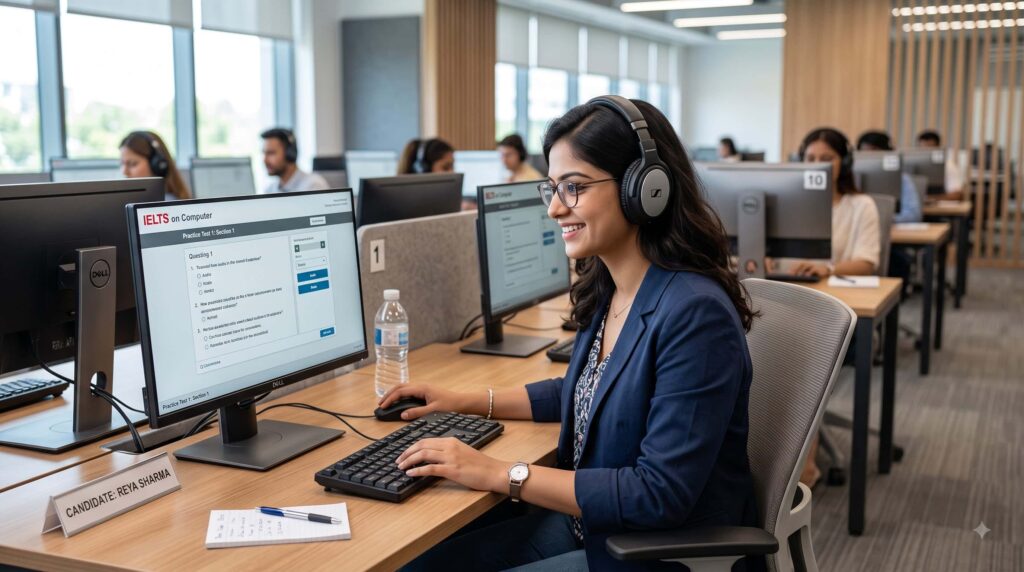
- Listening with headphones, which cuts out room noise.
- One Skill Retake, which lets you retake just one weak module instead of the whole exam.
There is also a middle option called IELTS on Computer (Writing on Paper), the hybrid option. In this version, you do Listening and Reading on the computer, but you write your essays by hand on paper. Speaking is face-to-face in both formats. We explain both paths clearly in our Tiju’s Academy IELTS coaching, so you pick the one that suits your typing speed and comfort.
Is computer-based IELTS easier than paper?
No, that is definitely not true, but the day of the test always seems to be easier. The content and marking are the same. What changes is the experience. Typing is faster than writing for most people, the live word count removes guesswork, and editing an essay takes seconds. If you struggle with handwriting or run out of time on paper, the screen often helps you. This is one reason so many students search for computer-based IELTS tips and tricks before booking.
Now let us get to the tips.
Top 10 expert tips to score a higher band in computer IELTS
These are the exact habits we build with students at Tiju’s Academy, the best IELTS training centre in Kerala. Follow them in order and practise each one on a screen.
- Take the IELTS familiarisation test first
First of all, go through the official IELTS familiarization test. This will give you a clear picture of the actual screen along with its functionalities and interface; you will have no surprises during your test. Spend one hour clicking every button. Try the highlighter. Open the notes box. Move between questions. Once the test-day computer screen feels normal, your brain can focus on English instead of the software.
- Locate the timer, word count, and review screen.
- Practice selecting text and using the tools.
- Repeat until the layout feels boring, which is a good sign.
- Build your typing speed and accuracy
Typing speed decides how relaxed you feel in Writing. Aim for a comfortable typing speed/words per minute of at least 30 wpm with clean accuracy. You are not racing, but slow typing eats the time you need for planning and checking. These IELTS typing tips for Writing task make the biggest difference for slower typists.
- Learn basic touch typing so you are not hunting for keys.
- Practice typing full Task 2 essays, not just short notes.
- Track your speed weekly and push it up little by little.
If typing is your weak point, our trainers fix it early. That is part of what makes Tiju’s Academy IELTS training practical rather than theoretical.
- Use the highlight and notes tool while reading
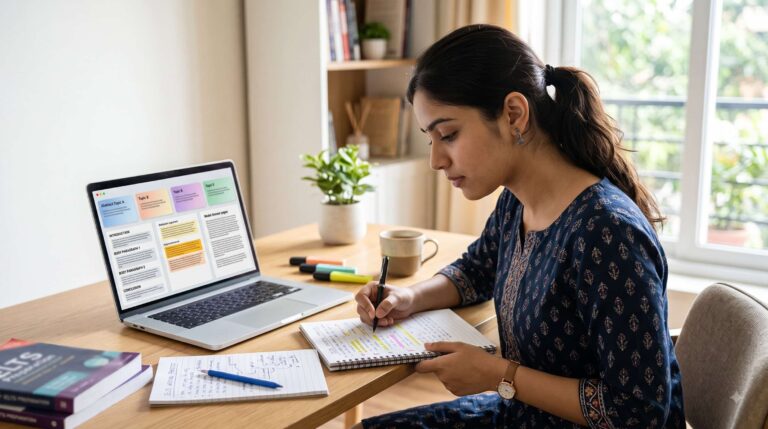
Reading gets easier when you mark the text. The highlight and notes tool lets you colour key words and jot small notes next to a passage, just like underlining on paper. Highlight names, dates, and linking words. This keeps your eyes from re-reading the whole passage every time.
- Highlight keywords in both the question and the passage.
- Use notes for tricky “True, False, Not Given” items.
- Do not over-highlight, or the page turns into a mess.
- Keep an eye on the live word count in Writing
Rely on the live word count and no longer manually count. The minimum number of words required is 150 for Task 1 and 250 for Task 2. Your word count is reflected on the screen as you write, so you will always be aware of your progress. Overwrite by just a few words above the minimum to avoid making very long responses which are a waste of time.
- Shoot for about 170 words in Task 1 and 270 in Task 2.
- Glance at the count, then keep writing.
- Save the last few minutes to check grammar and spelling.
- Practise reading on a screen to beat screen fatigue
Reading on a screen tires your eyes if you never train for it. Screen fatigue is real, and it hits people who only ever practiced on paper. The fix is simple. Do your reading and listening practice on a laptop or desktop for the last few weeks before the exam. Your eyes and focus adjust, and the real test feels routine.
- Practice full reading sections on a screen, not printouts.
- Sit straight and keep the screen at the eye level.
- Take short breaks in study sessions to rest your eyes.
- Use copy, cut and paste to fix your essay fast
Editing is your secret weapon on the computer. With copy, cut and paste in Writing, you can move a sentence, swap two paragraphs, or fix your structure in seconds. On paper this would mean crossing out and rewriting. On screen it is clean and quick, which protects your IELTS band score in Writing.
- Write your essay, then reorder weak paragraphs.
- Cut repeated ideas instead of rewriting the whole thing.
- Learn a few keyboard shortcuts to edit even faster.
- Flag questions and use navigate and review to manage time
Do not get stuck on one difficult question. Use the navigation tools to go through the questions and mark those questions that you would like to revisit later. Try answering the easier questions first and mark the difficult ones; when you are done with the easy ones, you will have more time to tackle the difficult ones.
- Flag anything that takes more than a minute.
- Finish the section, then return to flagged items.
- Check the review screen before time runs out.
- Glance at the on-screen timer, do not stare at it
The on-screen timer is a helper, not a source of panic. Set small checkpoints in your head instead of watching every second tick down. For Reading, aim to finish each passage in about 20 minutes. For Listening, the audio controls the pace, so just keep up. Checking the clock a few times per section is enough.
- Split each section into rough time blocks.
- Look at the timer at natural breaks, not constantly.
- If you fall behind, move on and secure the easy marks.
- Type your Listening answers as you hear them
While listening with headphones, type your answers straight into the boxes while the audio plays. Do not wait to write later, because the speaker keeps moving. If you miss one blank, leave it and catch the next answer. One missed word should never cost you three more.
- The moment the audio plays, not down the answers
- Keep moving if you miss one, and return at the end.
- Watch your spelling, since a misspelt answer is marked wrong.
- Take full mock tests under real exam conditions
There is nothing that can prepare you better than practice. Sit through mock exams from the start to the finish, all through the computer, under the same time constraints, using the same headset without any breaks. It also removes the fear, because by test day you have already done it many times. This single habit is why our students feel ready and calm.
At Tiju’s Academy, the home of the best IELTS coaching online, we run unlimited computer-based mocks so you never walk into the real test blind.
Exceptional technical tips for computer-delivered IELTS
But apart from these 10, there are some additional, smaller technicalities that distinguish a Band 7 from a Band 8. They are the things that most candidates overlook and become important when you take the test IELTS on computer vs paper-based.
- Fix your spelling yourself: There is no autocorrect/spelling help in the test. The software will not fix a single typo, so proofread every answer.
- Adjust the screen settings: Change the font size and color or contrast if the option is there, so reading is easy on your eyes.
- Use split-screen reading: Keep the passage and the question visible together with split-screen reading so you stop scrolling back and forth.
- Set your headphone volume early: Test the sound before Listening starts and set a level you can hear clearly.
- Learn simple keyboard shortcuts: A few keyboard shortcuts for select, copy, and paste save real time in Writing.
- Know the glitch plan: If the screen freezes, raise your hand for the invigilator. Your time is protected, so stay calm.
- Pick the right format: If your typing is slow, the IELTS on Computer (Writing on Paper) hybrid option may suit you better. We help you choose during counselling.
These small technical wins are baked into our training. As a trusted IELTS coaching centre in Kerala, we make sure the tools feel like second nature long before you book your date.
How Tiju’s Academy helps you ace IELTS on computer?
We are the best because we teach the exam you will actually sit, with methods built for the screen. Our Tijus Academy IELTS online classes run live or as recorded lessons, so you can learn from anywhere in Kerala or abroad. Every student gets a clear plan, honest feedback, and enough practice to feel sure of the band.
Here is what you get with us:
- A step-by-step IELTS study plan built around your target band.
- Band 7+ writing templates and personalized essay correction.
- Speaking practice with feedback and daily practice tasks.
- Mock tests under exam conditions with progress tracking.
- Vocabulary and grammar lessons, plus clear band descriptor breakdown.
- Time management strategies and full reading and listening strategies.
- An exam-day preparation module and a supportive peer group.
We also use signature techniques that make hard skills simple:
- Base Camp, a 5-day orientation that sets your foundation.
- Base Check, a full assessment of your current level.
- Brain Spark, a technique for Speaking.
- Blank2Brilliant, our idea generation method for Writing.
- Fluent Sphere, our speak-easy fluency training.
- Read Savvy and Word Savvy for stronger reading and vocabulary.
- Testfinity, giving you unlimited computer-based mock tests.
- 40in60, our detailed reading explanation programme.
- 250in60, our focused writing correction programme.
- Listenlock, our detailed listening explanation sessions.
- TenX, our exam batch for final preparation.
- 4 in 1, quick tips for all four modules in one place.
- Mic Drop Day, your confidence session on the last day before the exam.
The combination of the above-listed factors is what makes us known as the best IELTS training centre in Kerala among the students. Whether your study mode is offline or online, our mission is quite straightforward. We want you to hit your target band on the first try.
Conclusion
Acing the screen comes down to two things. Know the format, and practise on a real computer until it feels normal. Learn the tools, build your typing, watch the on-screen timer, and sit plenty of full mocks. Do that, and the computer test becomes an advantage instead of a worry.
If you want a clear plan and real practice, train with Tiju’s Academy, the best IELTS coaching centre in Kerala. Join our academy online or offline, book a free demo class, or message us on WhatsApp to start your first computer-based mock test today. Your target band is closer than you think.
Frequently Asked Questions:
A: No, the questions are not easier, but test day usually feels easier. The content and marking are the same. Typing is faster than handwriting, the live word count removes guesswork, and editing an essay takes seconds.
A: Yes, basic typing skills help most in Writing. You don't need to be an expert, but aim for at least 30 words per minute with clean accuracy so you stay relaxed and have time to plan and check.
A: Practise typing full Task 2 essays instead of short notes, and use basic touch typing so you're not hunting for keys. Track your speed each week and push it up little by little.
A: Yes, you can change any answer before time runs out. In Writing you can copy, cut and paste to move a sentence, swap paragraphs, or fix your structure in seconds.
A: It's a hybrid format. You take Listening and Reading on the computer but handwrite your essays on paper, while Speaking stays face-to-face. It suits candidates who prefer writing by hand or type slowly.
A: Yes. From September 2026, every IELTS test in India is delivered on a computer, and the last paper dates passed in August 2026. If you book now in India, you are booking a computer test.
A: Yes, spelling is marked, and there is no autocorrect in the test. A misspelled answer in Listening or Reading is counted wrong, so always proofread before you finish.
A: Task 1 needs at least 150 words and Task 2 needs at least 250 words. Aim for about 170 in Task 1 and 270 in Task 2, since very long answers waste time and add mistakes.
A: Yes, take it first. It shows you the real screen, timer, word count, and tools, so the interface never surprises you on test day, and you can focus on your English.
A: One Skill Retake lets you resit just one weak module instead of the whole exam. It's a benefit of the computer format that can save you time and money if only one section holds back your band.